Six People in the Room, Four Joining Remotely
Practical protocols to eliminate spatial bias, balance speaking time, and maintain collaborative momentum when meeting physically and virtually.
Solving the 6:4 Presence Imbalance
When six participants sit around a physical boardroom table while four join via video stream, meetings naturally gravitate toward room-centric side conversations. In-room energy tends to overpower virtual microphones, leaving remote colleagues in a passive listening state.
The 6:4 methodology counters this asymmetry by introducing structured turn sequences, dedicated digital co-moderation, and individualized screen-level eye contact to establish complete communication parity.
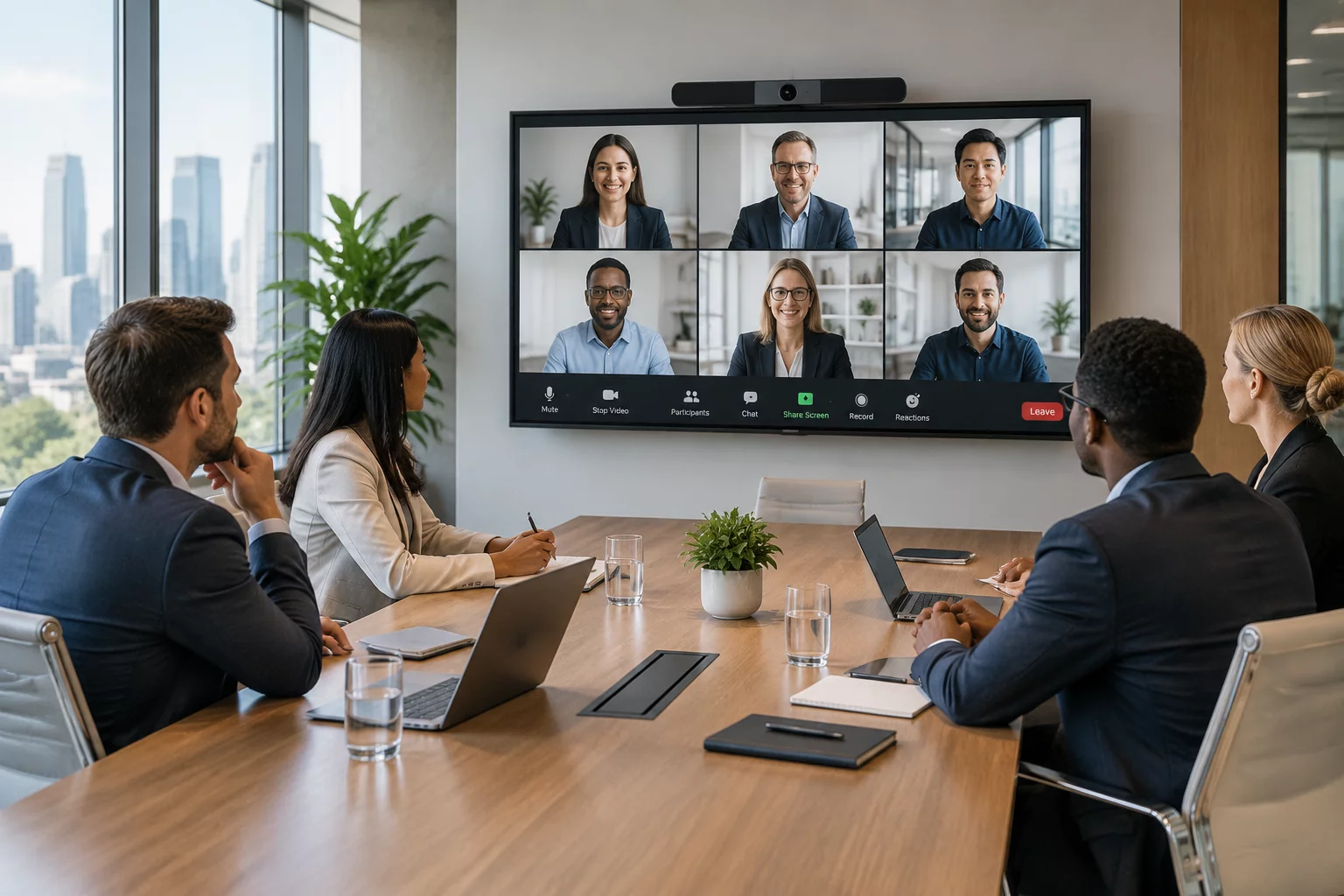
Six colleagues sit in a conference room; four join remotely. The room keeps talking over itself while the remote members watch but cannot break in. Below is how the session is restructured so all ten participants contribute equally.
How Participants Interact Across the Session
Core Operational Parameters for the 6:4 Setup
Technical setup and procedural rules designed specifically for a 10-person split hybrid session.
| Framework Dimension | Protocol Specification |
|---|---|
| Spatial Layout | Semi-circular table orientation with display monitor at the open focal vertex |
| Audio Capture | Multi-element beamforming table array with individual zone muting |
| Visual Parity | Front-of-room gallery display showing remote members at eye-level scale |
| Facilitation Model | Dual moderation: one in-room conductor and one virtual chat monitor |
| Turn-taking Protocol | Digital raised-hand queue enforced for both physical and virtual members |
| Document Handling | Cloud workspace collaborative editing with zero physical printouts |
Step-by-Step Moderation Architecture
Establishing equal footing begins before the first agenda item starts. When in-room members outnumber remote colleagues, spontaneous side discussions happen easily. To neutralize this disparity, all verbal interventions must pass through a synchronized digital queue that treats physical and virtual attendees identically.
Four Rules for Maintaining Hybrid Equity
- Remote First in Debates: Virtual attendees voice their perspectives before in-room team members on every discussion topic.
- Unified Chat Stream: In-room attendees keep their laptops open without audio to contribute to the shared digital backchannel.
- Active Presence Checks: The facilitator conducts direct check-ins with remote members every fifteen minutes.
- Shared Canvas Priority: Brainstorming happens exclusively in digital whiteboards visible to all screens simultaneously.
Applying these four guardrails shifts the meeting from an in-room conversation with spectators into a unified collaborative workshop where physical location becomes irrelevant.
Frequently Asked Questions
Practical solutions for handling common obstacles during 6-in-room and 4-remote discussions.
Designate an in-room facilitator tasked specifically with calling out unamplified comments and redirecting all side remarks into the main audio channel.
Yes, joining in companion mode with muted microphones allows in-room members to see chat reactions, follow digital hands, and review whiteboard items without audio feedback.
Use an intelligent camera system with multi-speaker tracking or panoramic framing positioned at eye level opposite the seating arc.
Use a remote-first speaking round for each agenda topic, then invite in-room participants through the same visible queue. This offsets the room’s numerical advantage while allowing everyone to contribute.
Related Methodologies